Homelab
Personal Project · In Progress
Overview
I built a homelab to practise what a small IT team does: networking, monitoring, backups, identity, and documentation. A Raspberry Pi 5 runs the services that must always be up, a Windows Server 2022 machine runs the heavier workloads, and the two reach each other and my cloud servers over Tailscale. Everything is documented as runbooks, and the monitoring is defined in git.
Highlights
- 28 service monitors defined in git, with phone alerts and an external backstop check
- Tailscale mesh: SSH and admin services are reachable only on the private network
- Encrypted, pull-based backups of every machine, with a documented restore plan
Diagrams
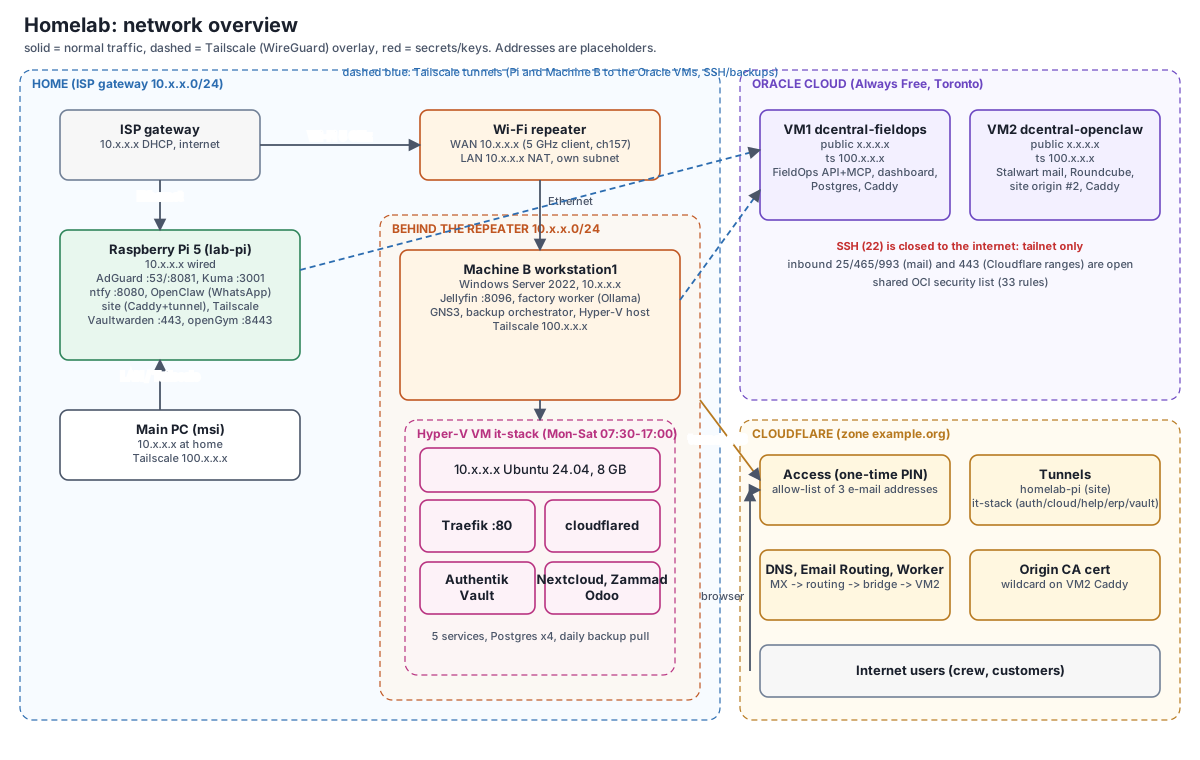
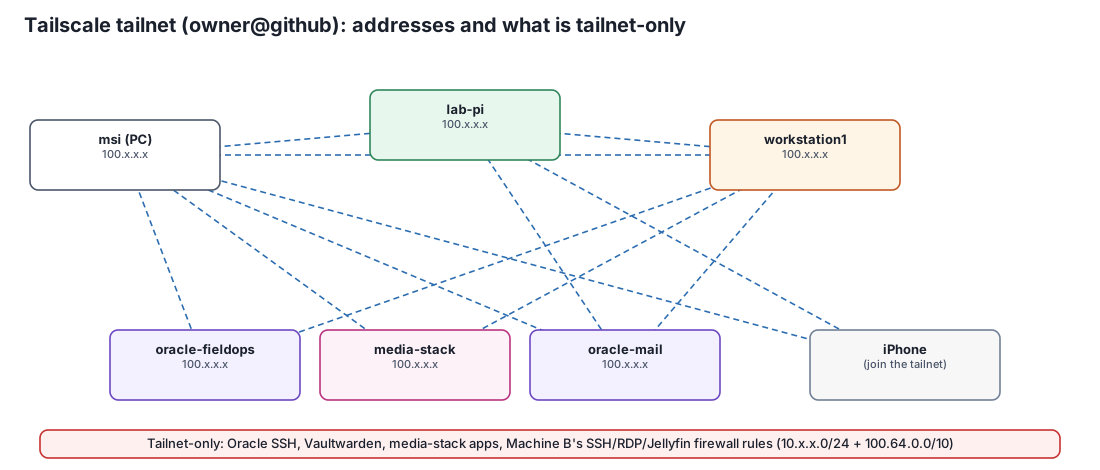
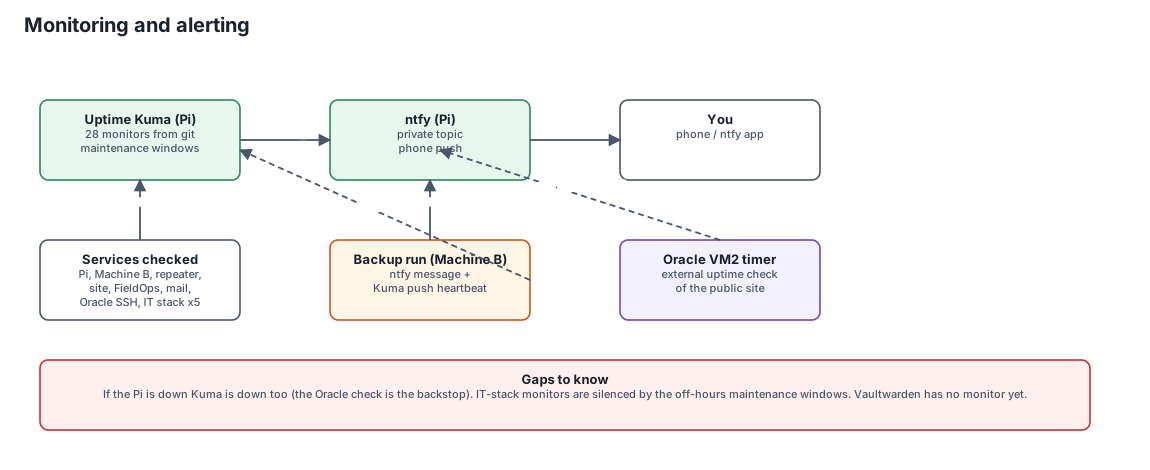
Diagrams are simplified. Addresses, hostnames and account names are placeholders.
Layout
- Raspberry Pi 5 (wired): DNS and ad blocking with AdGuard Home, Uptime Kuma, ntfy push alerts, a Tailscale node, and a small website behind a Cloudflare Tunnel.
- Windows Server 2022 host: Hyper-V runs the IT-stack VM on a schedule; the host also runs a media server and has GNS3 installed for CCNA practice.
- Two Oracle Cloud VMs host the field-operations platform and the mail server; both are reachable over SSH only through Tailscale.
- A Wi-Fi repeater in router mode gives the server its own subnet and internet access, because the server has no Wi-Fi of its own.
Networking and access
Devices sit on the home network, the repeater's private subnet and a Tailscale overlay. Services such as the password manager, SSH and RDP are tailnet-only, with firewall rules scoped to the lab subnet and Tailscale's address range. From anywhere, I connect through Tailscale instead of opening ports.
Monitoring
Uptime Kuma on the Pi checks 28 targets: the machines, the website, the field-operations platform, mail, SSH on the cloud servers and each IT-stack service. Alerts go to my phone through ntfy, and backups report in with a success or failure heartbeat. A timer on a cloud VM checks the public site from outside, because if the Pi goes down so does its monitoring.
Known gaps are written down: the monitoring depends on the Pi, and the password manager does not yet have its own monitor.
Backups
Backups are pulled, not pushed: the server fetches each machine's data over SSH using keys restricted to that job, checks the streams, encrypts them with an authenticated scheme and copies the result off-site to cloud storage, weekly and on demand. The first full backup set completed and verified. A full restore drill has not been done yet, and the documentation says so.
Design changes and lessons
The first design had the Pi route a separate lab subnet over a cable. It was dropped because the USB Ethernet adapter it needed was never bought and the Pi's Wi-Fi roaming kept causing outages, so the Pi moved to a wired connection and the server went behind the repeater. The changelog records both designs and why one replaced the other.
Alongside the build I wrote operations docs, a troubleshooting log of real incidents, a service-by-service reference with diagrams, and an offline study set (phone e-books and 588 flashcards) so the whole environment can be learned and rebuilt.
Technologies
Raspberry Pi, Tailscale, Windows Server, Hyper-V, Docker, Networking, Monitoring, Backups